CLO 1 The LOGO!8 controller
CLO 1 The LOGO!8 controller
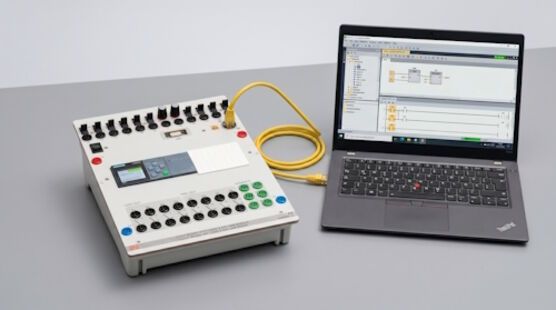
Training contents:
- Working with the LOGO! Soft Comfort Programming Software
- Introduction to the user interface
- Project management and simulation
- Online connection to the LOGO! device
- Basic Hardware Configuration
- Selecting and configuring LOGO! modules (e.g., expansion modules, power supplies)
- Connecting sensors and actuators
- Basic wiring principles
- Data Types and Variables
- Boolean values (On/Off)
- Analog values and processing
- Time and date values
- Creating an I/O Assignment List / Documentation
- Input/output mapping
- Signal naming and comments
- Structuring the project clearly
- Programming Language: Function Block Diagram (FBD)
- Basic structure of a program in FBD
- Comparison of LOGO! FBD and TIA Portal FBD (optional for advanced learners)
- Programming Logical Operations
- AND, OR, NOT
- XOR, NAND, etc.
- Timers, Counters, and Comparison Functions
- On-delay, off-delay, pulse generators
- Up/down counters
- Analog value comparisons
- Introduction to Structured Programming with Function Blocks
- Using predefined function blocks (e.g., threshold switches, analog comparators)
- Building small modular logic functions
- Using memory bits for structure and control
- Simulation, Commissioning, and Testing
- Simulation in LOGO! Soft Comfort
- Online monitoring and testing
- Error detection during commissioning
- Diagnostic Functions and Troubleshooting
- Status monitoring in the program
- Using the diagnostics window
- Basic error handling in LOGO! programs